Recent Work
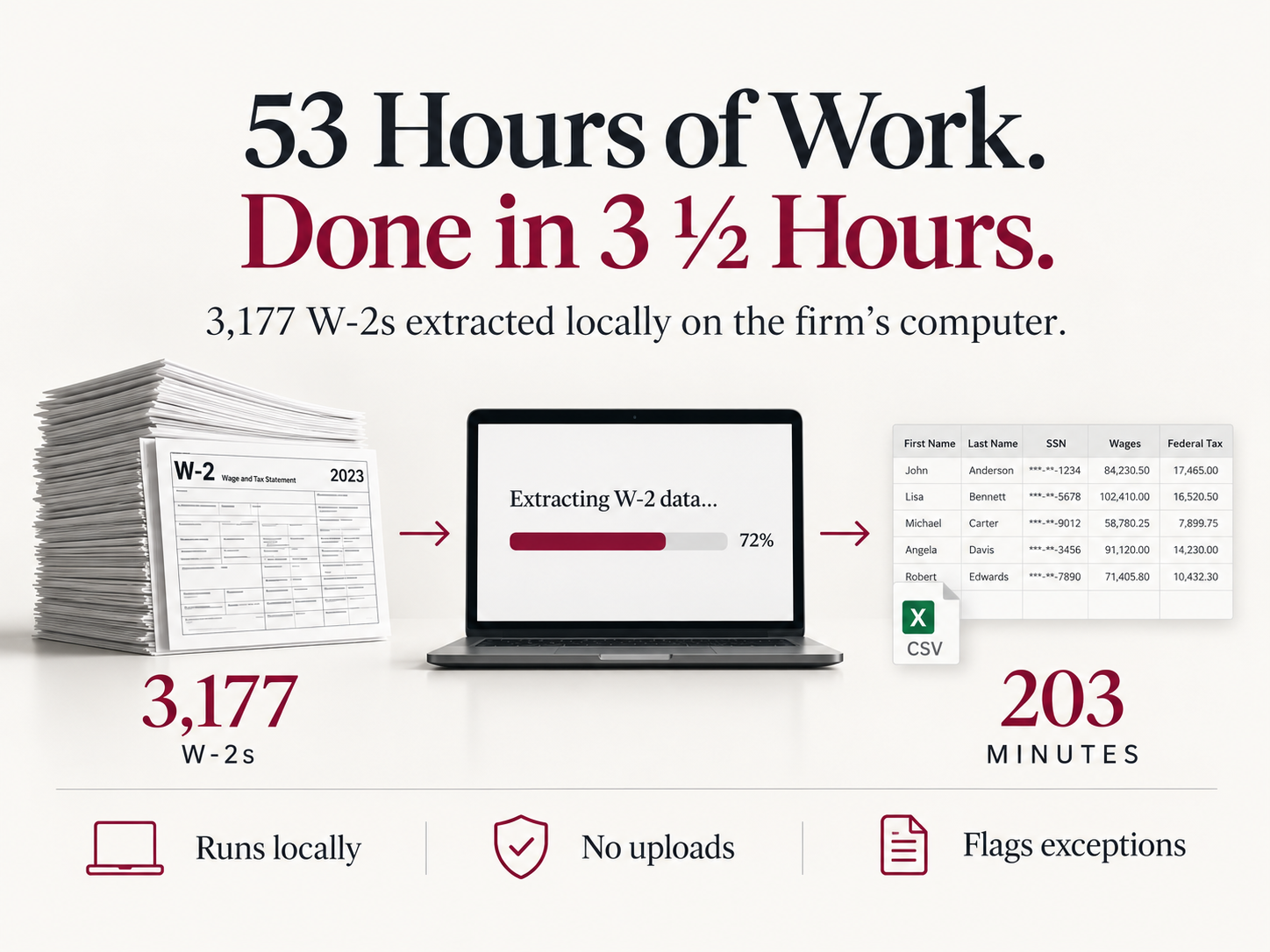
53 Hours of Work. Done in 3 ½ Hours.
A law firm needed to extract structured data from 3,177 W-2s in a PDF. At one minute per record, manual extraction was expected to require approximately 53 hours of staff labor.
FortisWorks built a customized application that completed the same extraction work in 203 minutes on the firm’s laptop, with only a few minutes needed to launch the process. The application skips non-W-2 pages, flags questionable or incomplete records for review, and delivers the results as a CSV file or inserts them into a local database.
All document processing takes place on the firm’s own computer. After installation, the application requires no internet access, makes no external calls, and does not upload documents or sensitive data to FortisWorks, an AI provider, or any cloud-processing service.
-
Local W-2 Data Extraction
From 53 Hours of Manual Extraction to 203 Minutes of Automated Processing
A law firm regularly receives batches of W-2 forms from which it must extract structured data. Over the course of a year, the firm may process many thousands of records, with source documents arriving in different formats and containing both text-based and scanned pages.
For one representative project, the firm received a file containing 3,177 individual W-2s. At an estimated one minute of manual extraction per record, processing the file would have required approximately 53 hours of staff labor.
FortisWorks developed a customized, standalone application that completed the same extraction work in 203 minutes—3 hours and 23 minutes—on a client laptop with 32 GB of RAM. An employee spends only a few minutes launching the process: copy the PDF into the input folder, double-click Extract, and return later to find the extracted data in the output folder.
3,177 W-2s
Approximately 53 hours of manual extraction
203 minutes of automated processingAlmost 50 hours saved
Purpose-Built for the Workflow
The application handles differing W-2 formats and extracts the information needed by the firm:
Employer name, Employer Identification Number (EIN)
Employee name, Employee Social Security number
Box 1, Box 3, Box 5, Boxes 12a–12d
The extracted records can be written to a CSV file or inserted into a local database. The application skips pages that are not W-2s and flags records with missing required fields or questionable values for human review. It can also produce processing logs when the firm wants an audit or troubleshooting record.
Local Data Processing
The application is installed on hardware controlled by the client. Internet access is needed during the initial installation to download required supporting libraries. After installation:
Document processing occurs entirely on the user’s computer
W-2 data is not uploaded to FortisWorks
Documents are not submitted to cloud-based AI or document-processing services
The application makes no external calls during normal processing
Results remain within the client’s local environment
This deployment model gives the firm direct control over sensitive employee and tax information while avoiding dependence on an externally hosted processing service.
A Repeatable Process
The result is a repeatable internal workflow that replaces record-by-record data entry with a largely unattended process while preserving human review for exceptions.
FortisWorks provides custom development, installation, user training, ongoing support, and maintenance for focused software tools like this one. The same approach can be applied to other repetitive document-processing, billing, reporting, data-entry, and file-routing workflows where privacy, control, and predictable operation matter.

CLE Certificates Without Hours of Manual Preparation
FortisWorks developed a customized system that converts a seminar attendance spreadsheet into individualized PDF certificates. The system applies each attorney’s contact information and earned CLE credits to the firm’s certificate template, allows staff to review the results, and emails the approved certificates to attendees.
A process that previously required hours of manual preparation can be completed in less than five minutes, with staff retaining control over review and distribution.
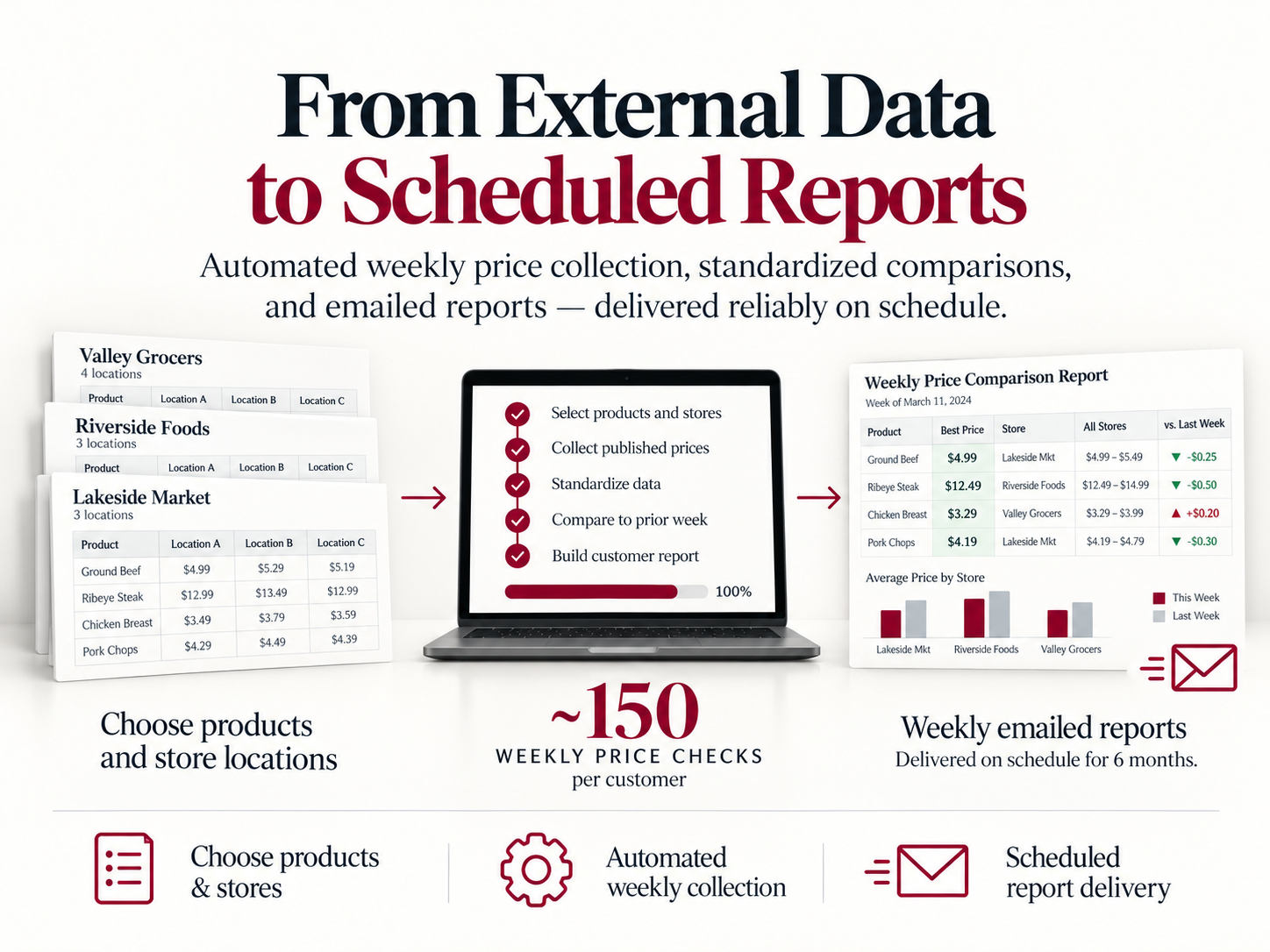
From External Data to Scheduled Reports
Specialty meat retailers needed a dependable way to monitor changing prices across grocery chains and independent markets without repeating manual research every week.
FortisWorks developed a production system that performs approximately 150 weekly price checks per customer. Users choose the products and store locations they want to monitor, and the system automatically collects and standardizes the published pricing.
Each customer receives an emailed report showing the best available price for every product, store-by-store comparisons, and changes from the previous week. Reports are timed to the major chains’ weekly publication schedules and have been delivered reliably for six months.
The same approach can automate recurring collection and reporting from external sources for legal, accounting, and other professional workflows.